
有时,使用 WPS 导出的 PDF 文档存在部分数学字体被 Edge 自带的 PDF 预览器错误渲染的问题: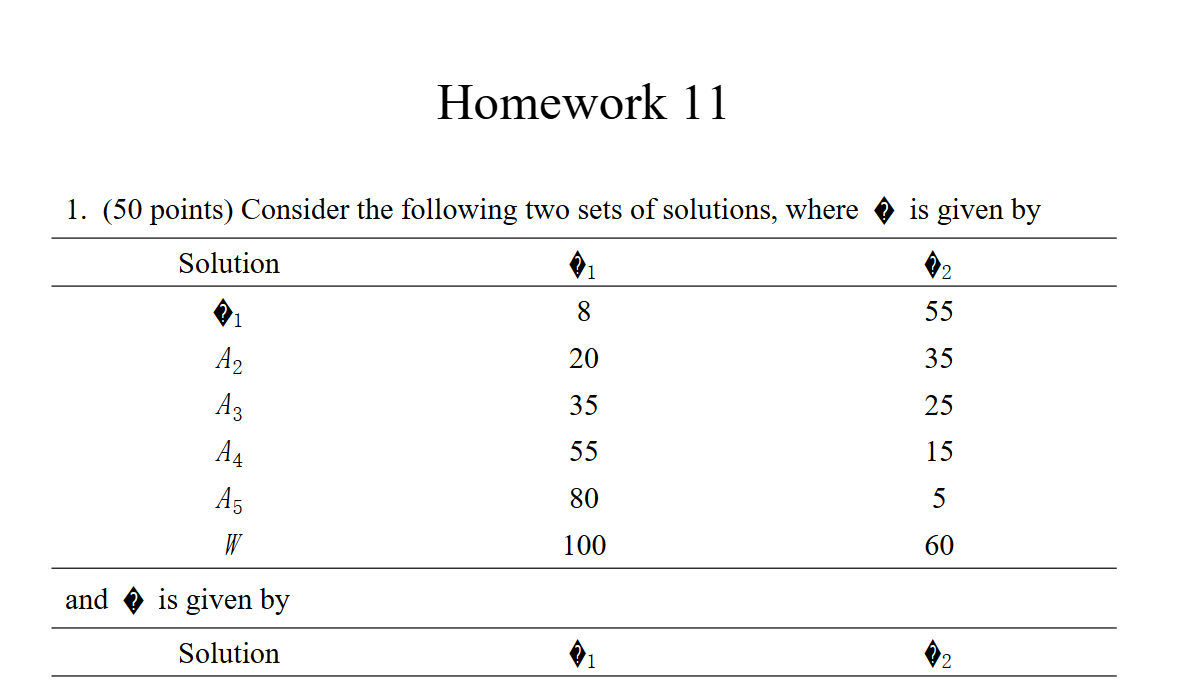
此时,控制台会给出错误:Warning: FormatError: TrueType Collection does not contain "DCWGQU+CambriaMath" font.
查看该文件内嵌的字体:
PS C:\Users\Ryan> pdffonts '.\Downloads\Homework 11.pdf'
name                                 type              encoding         emb sub uni object ID
------------------------------------ ----------------- ---------------- --- --- --- ---------
DCWGQU+CambriaMath                   CID TrueType      Identity-H       yes yes yes     14  0
CWLLTB+Arial-BoldMT                  CID TrueType      Identity-H       yes yes yes     19  0
ESHXQI+TimesNewRomanPS-BoldMT        CID TrueType      Identity-H       yes yes yes     24  0
ZLXSHE+Calibri                       CID TrueType      Identity-H       yes yes yes     29  0
AUWCNV+TimesNewRomanPSMT             CID TrueType      Identity-H       yes yes yes      8  0
发现并没有什么问题。
看到了这篇帖子:Reddit - How to Fix Font and Formatting Bugs in Edge PDF Viewer
3 .Open edge://flags/ → click Reset all → restart Edge.
4 .Go back to Edge, open once again edge://flags/ → search for “New PDF viewer” → set it to Disabled → and restart Edge.
发现确实成功地更换了默认的 PDF 预览器,并解决了之前的问题: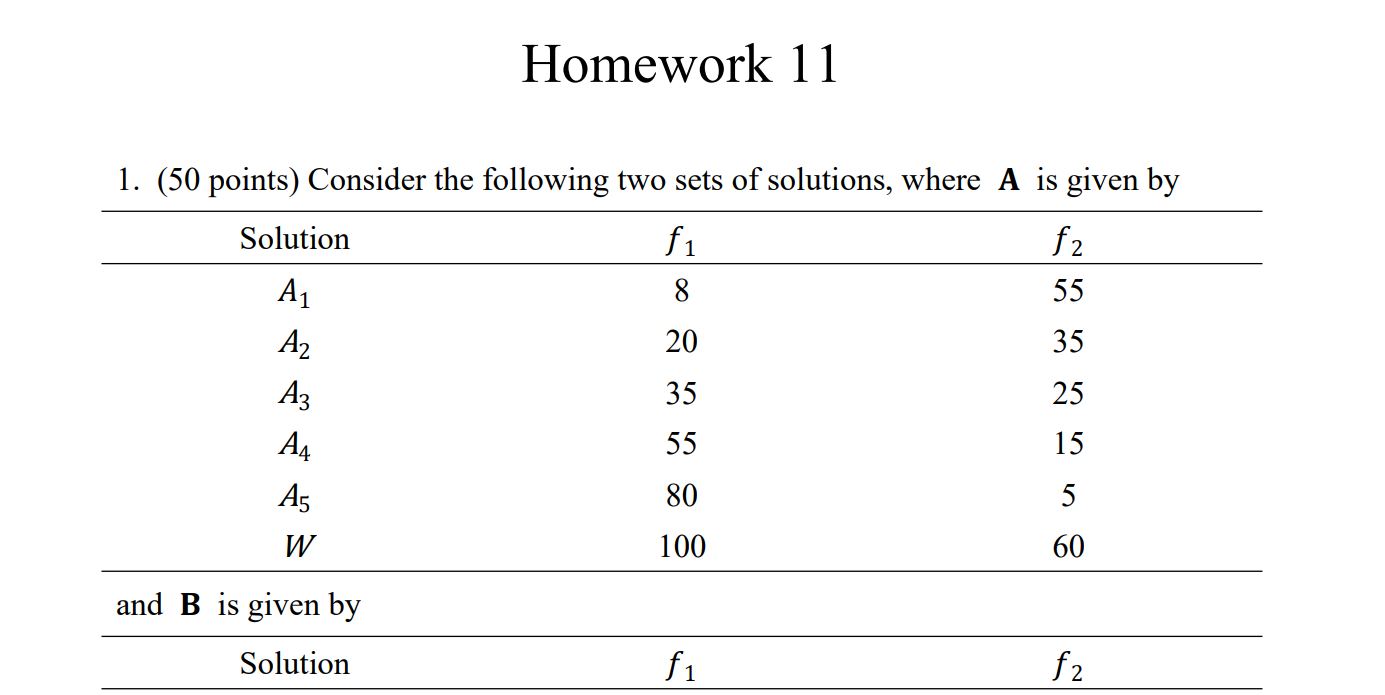
遗憾的是,使用 PDF.js 渲染的网页仍然会渲染失败。